How to swap
You can exchange assets directly from your vault without moving funds to an exchange first.
What you’ll need
- ✅ Oasis Vault mobile app installed
- ✅ An active plan
- ✅ A vault with assets in it
Step-by-step instructions
Step 1 – Open the vault you want to swap from
Choose the vault that holds the asset you want to sell. Tap the swap icon (an arrow pointing left above an arrow pointing right) to start.
Step 2 – Select the asset you’re selling
Tap the “From” field and pick the token. Use the search bar to find it, or tap one of the common bases at the top.
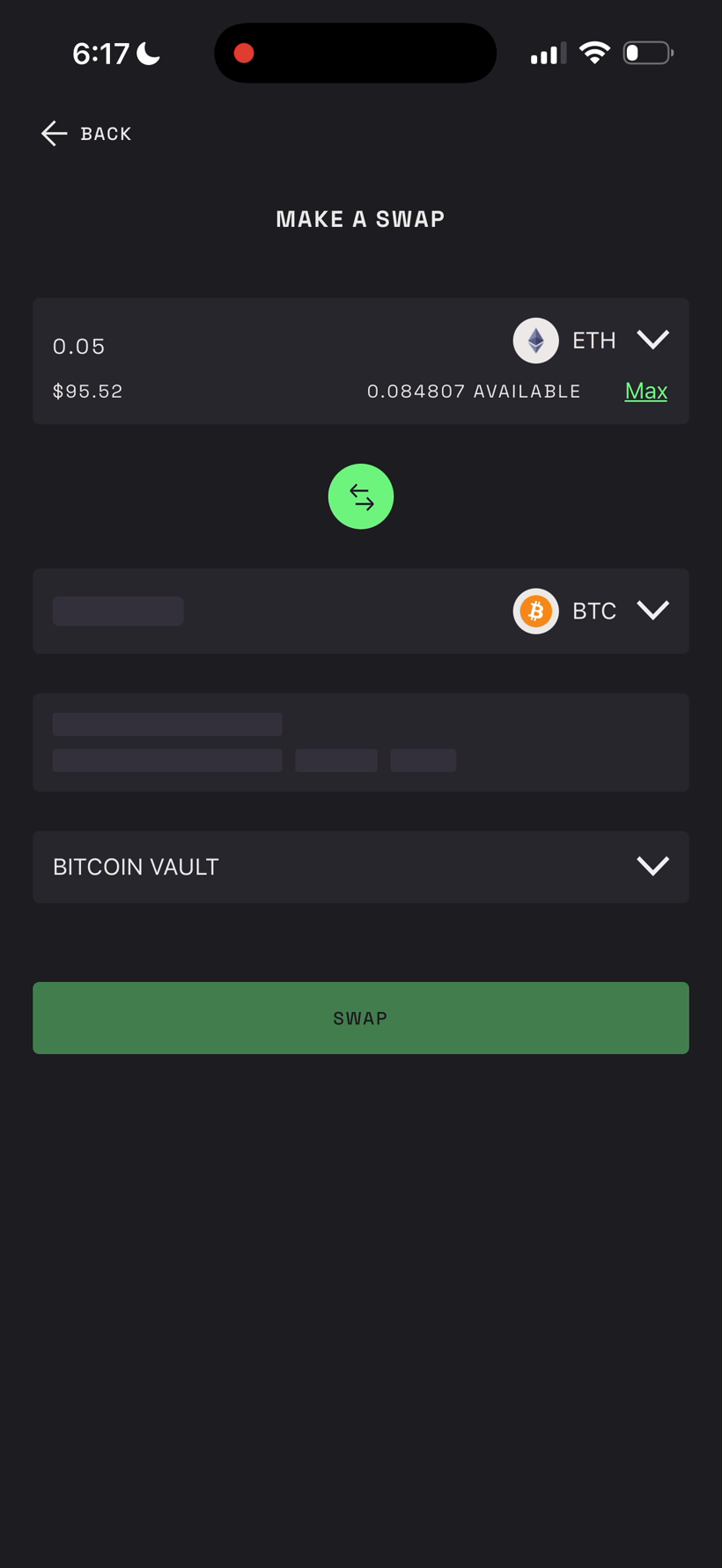
Step 3 – Enter the amount
Type how much you want to swap, or tap Max to use your entire available balance.
Step 4 – Select the asset you want to receive
Tap the “To” field and pick the destination token. Oasis Vault shows the exchange rate automatically (for example, 1 ETH = 0.028788 BTC).
Step 5 – Choose the destination vault
Swap the same asset within a vault and the destination stays the same. For a cross-chain swap - for example, ETH to BTC or BTC back to ETH - select the destination vault where the swapped funds should land.
Step 6 – Review and tap “Swap”
Check the rate, the fee, and the estimated time, then tap Swap.
- Same-chain swaps (like ETH to a token) typically complete in under a minute.
- Cross-chain swaps (ETH to BTC or the other way) can take up to 30 minutes to an hour.
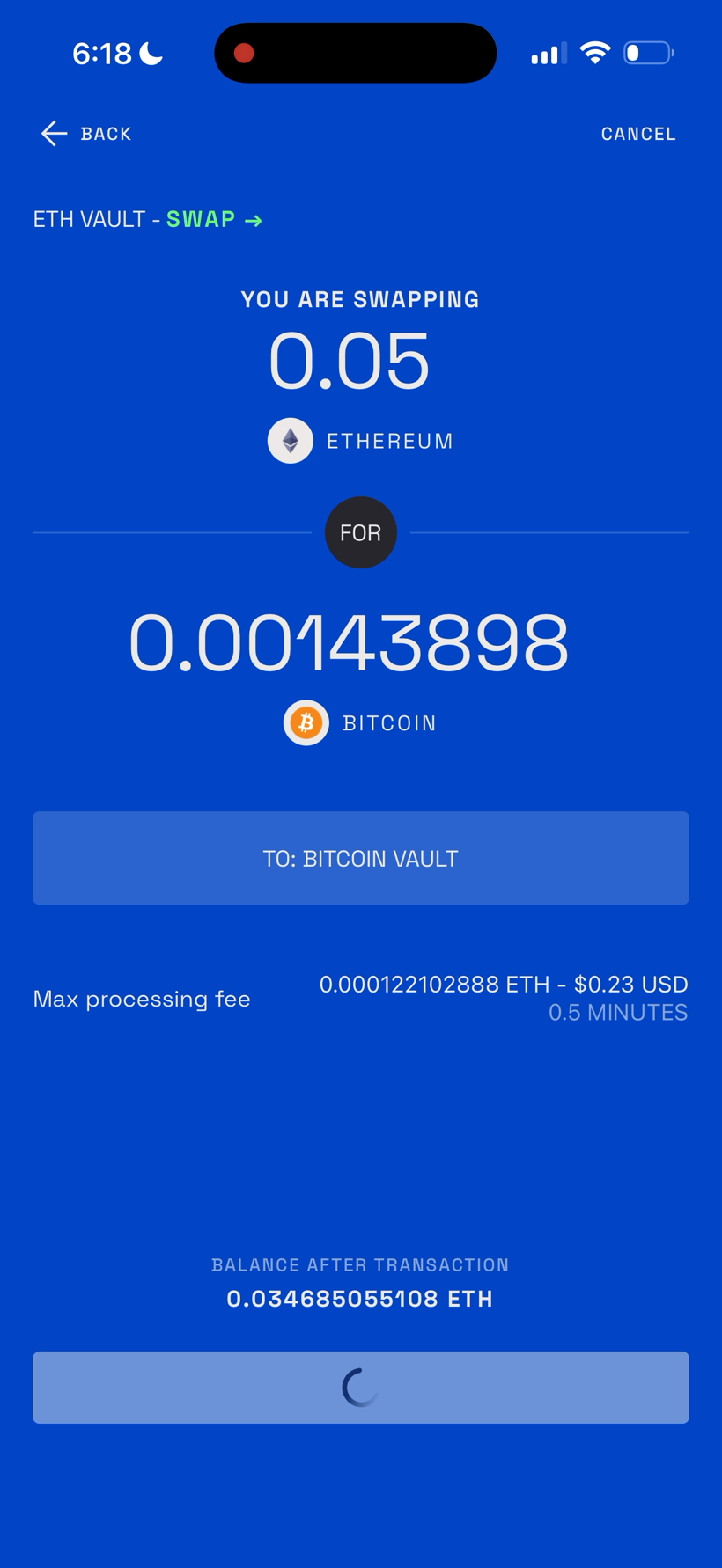
Step 7 – Sign with your mobile key
Follow the passkey prompt. You’ll sign once on your phone.
Step 8 – Confirm on your Ledger
You’ll see a Follow on Ledger screen. Review and approve the transaction on your hardware wallet, and the app submits the signature automatically.