Export seed phrase
What You’ll Need
- ✅ Oasis Vault mobile app installed
- ✅ An active plan
- ✅ A vault already set up
- ✅ Your Oasis passkey
Step-by-Step Instructions
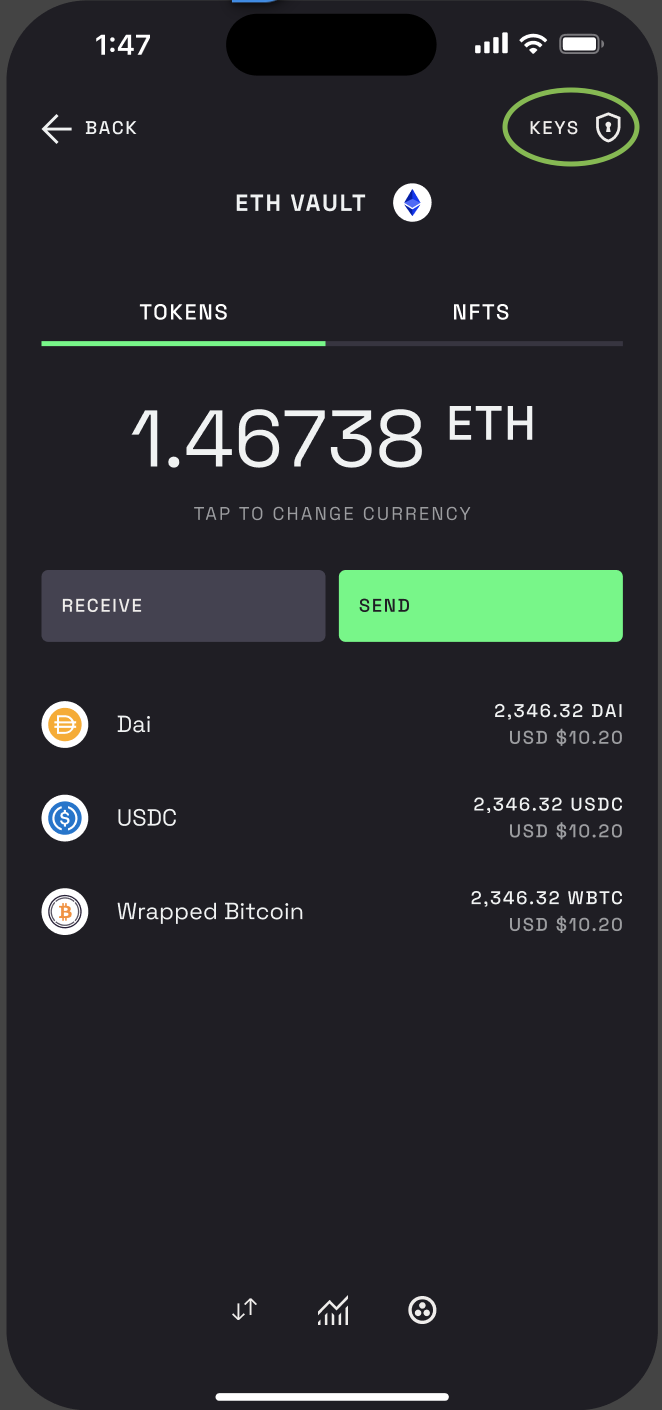
Step 1 – Go to the vault and tap on “Keys”
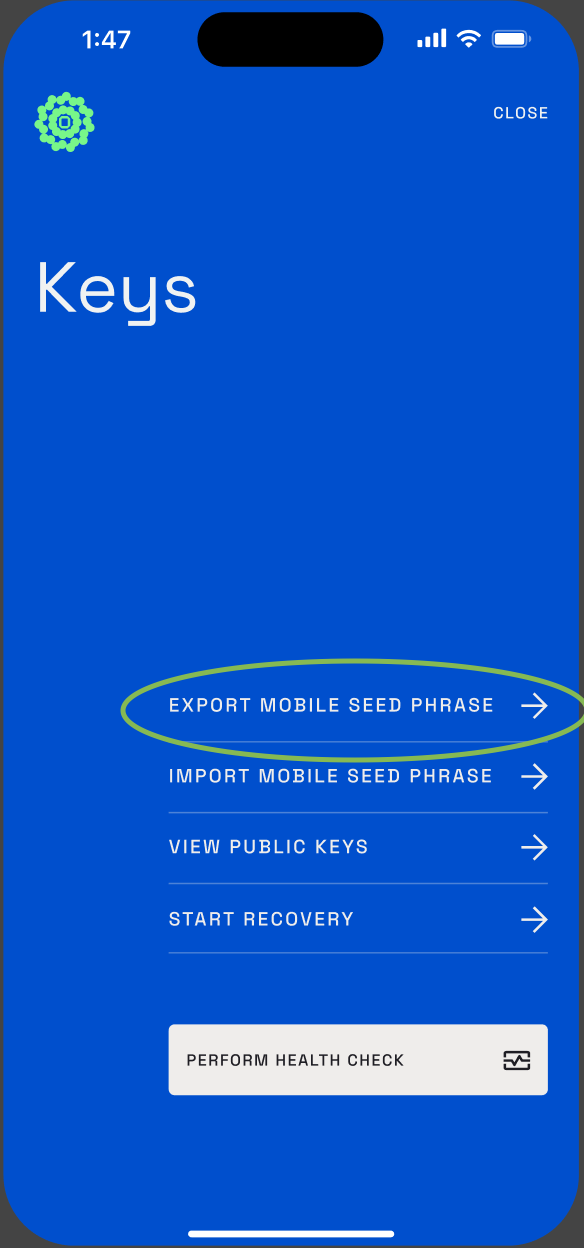
Step 2 – Tap on “Export mobile seed phrase”
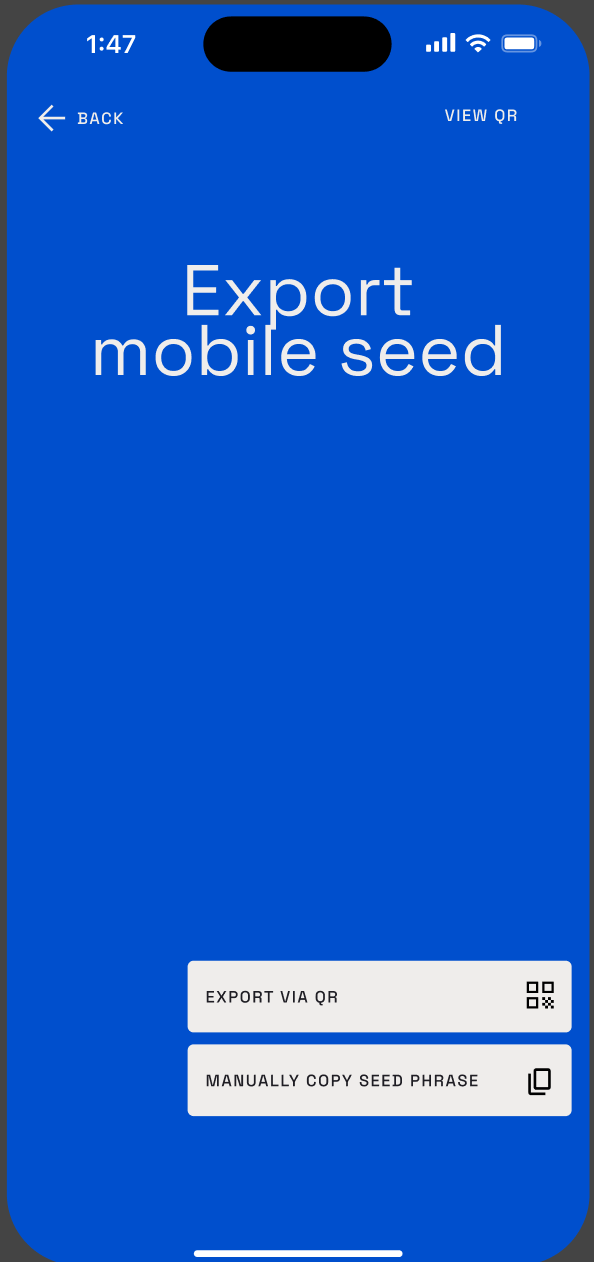
Step 3 – You can export it manually (lby copying the 24 words) or via QR
Step 4 –Remember to always backup your seed phrase in a physical paper, storing it digitally without encryption is a big risk
\