Receive
You can receive different kinds of assets depending on the vault:
- Bitcoin vault: You can receive Bitcoin.
- Ethereum vault: You can receive ETH, ERC-20 tokens (USDT, USDC, AAVE, and others), ERC-721 NFTs, and CryptoPunks. We only support mainnet for now, so do not send anything via Layer 2 (L2) networks.
What You’ll Need
- ✅ Oasis Vault mobile app installed
- ✅ An active plan
- ✅ A vault already set up
Step-by-Step Instructions
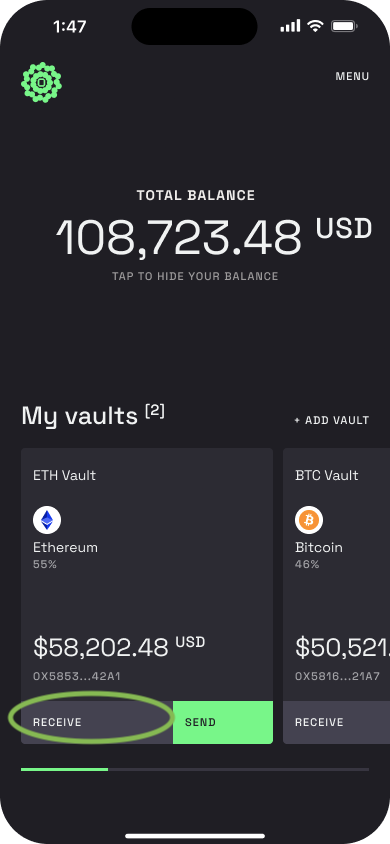
Step 1 – Go to the vault where you want to receive
On the vault card, tap Receive.
Step 2 – Open the receive screen
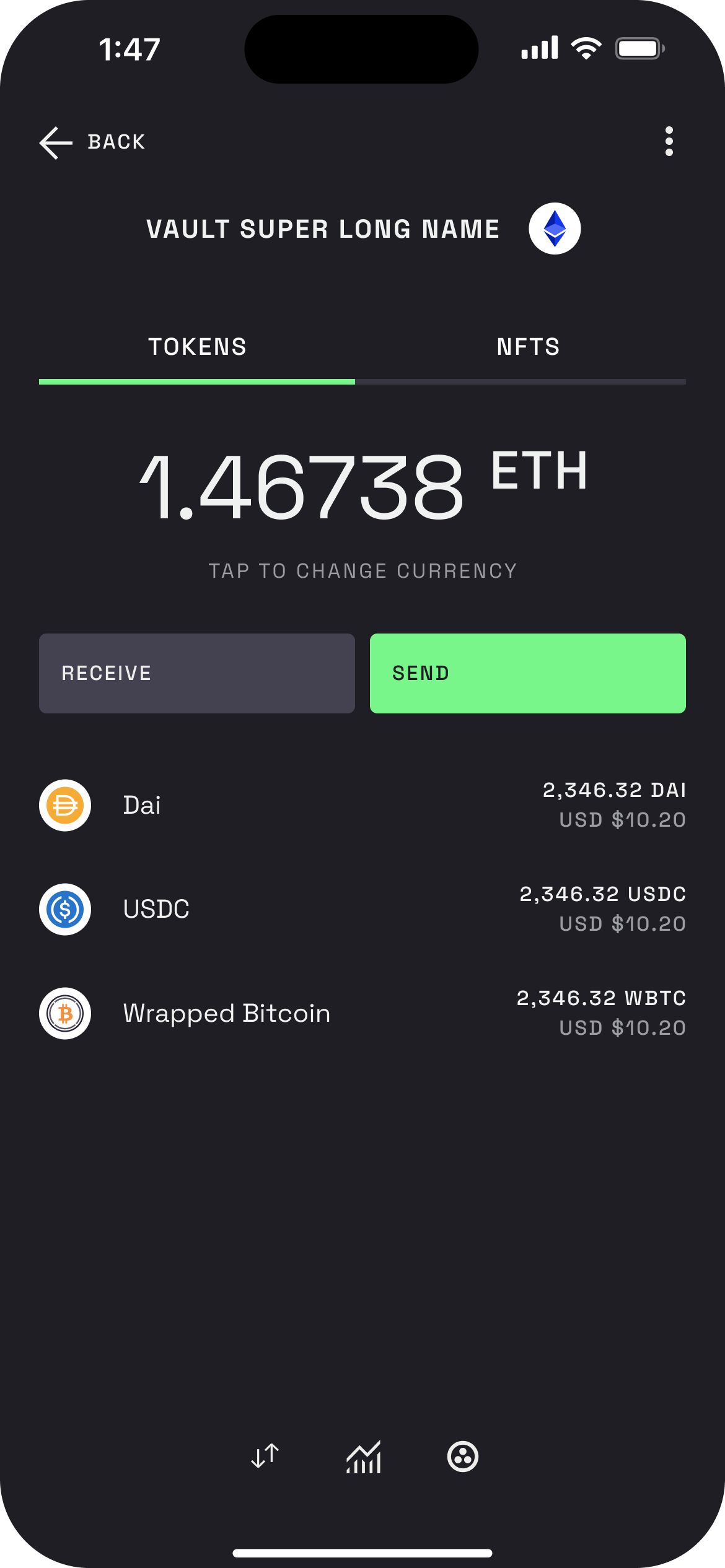
Tap Receive to open the modal for the vault you chose. You’ll see the vault name and your address.
Step 3 – Copy or share your address
Tap Copy to copy the address, or tap Share address to send it to someone.
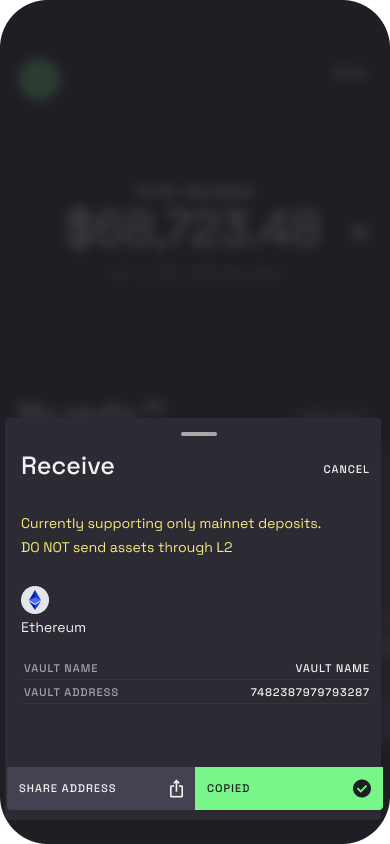
Then send the assets to that address from an exchange or another wallet. Remember: only send BTC to your Bitcoin address and only send supported tokens to your Ethereum address. Only mainnet deposits are supported - do not send anything through Layer 2 networks.